
Changing a Start Center template does not immediately change the personal Start Centers already created from it. Users can select Update Start Center, or an administrator can remove the generated copies with the legacy cleanstartcenters tool so Maximo rebuilds them at the next login.
Personalization warning: this tool deletes generated Start Center records. Rebuilding from a template can discard changes that users made to their own layouts and portlets. Back up the database, test the exact scope in a non-production environment, notify affected users and retain the tool log. Prefer a targeted user or group cleanup over deleting every Start Center.
The exact Maximo release used for this procedure is unknown. IBM documents cleanstartcenters for Maximo 7.1.1 and 7.5, but confirm its syntax and support status for your installed release before running it.
Why the template and user view differ
An administrator creates a Start Center template and associates it with a security group. When a member of that group logs in, Maximo creates a Start Center for that user from the template. The generated Start Center belongs to the user and can be personalized independently.
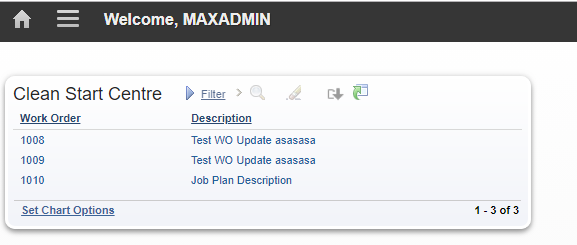
In this example, the original result-set portlet displays WONUM and DESCRIPTION:
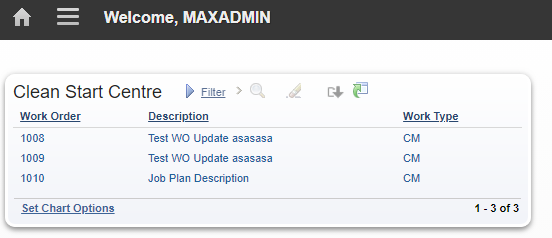
The template is then changed to add WORKTYPE. MAXADMIN sees the change after selecting Update Start Center:
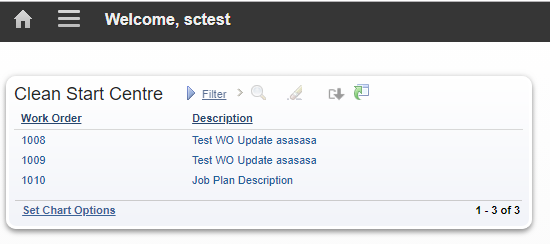
The SCTEST user still has the previously generated layout, so the new column is absent:
Open the Maximo tools directory
Run the utility from the administrative workstation or server containing the traditional Maximo installation. Open Command Prompt and change to the Maximo tools directory:
cd C:\IBM\SMP\maximo\tools\maximo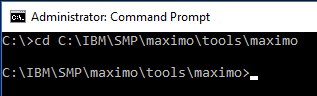
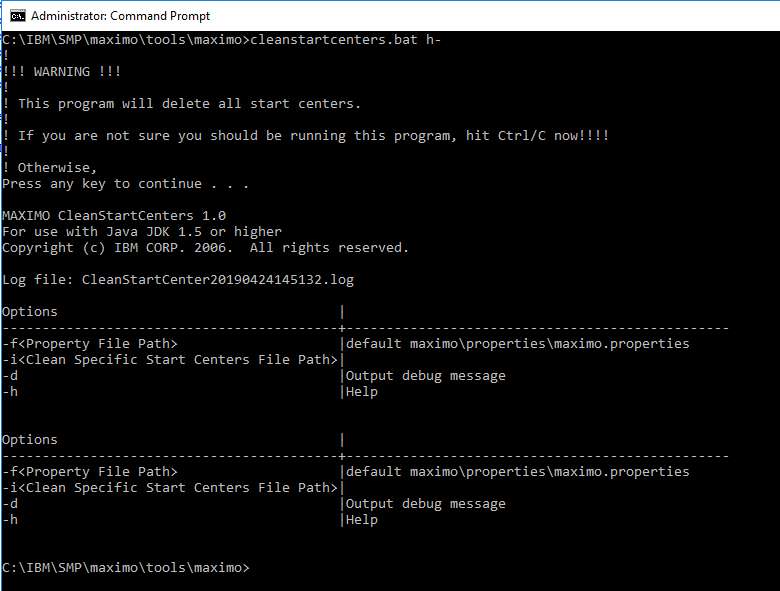
The utility prints help with this unusual argument:
cleanstartcenters.bat h-It still prints the general deletion warning before displaying help. It also prints its options twice and shows misleading argument formatting; use the working command forms below rather than copying the displayed help text.
Rebuild every user Start Center
Running the tool without an input filter removes all generated user Start Centers:
cleanstartcenters.batThe utility displays this warning:
!
!!! WARNING !!!
!
! This program will delete all start centers.
!
! If you are not sure you should be running this program, hit Ctrl/C now!!!!
!
! Otherwise,
Press any key to continue . . .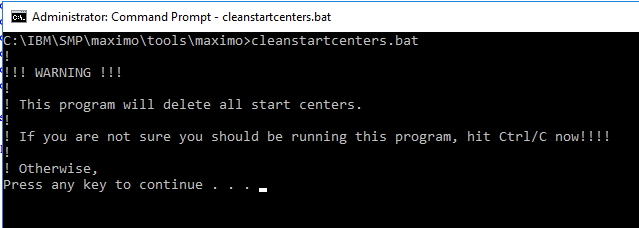
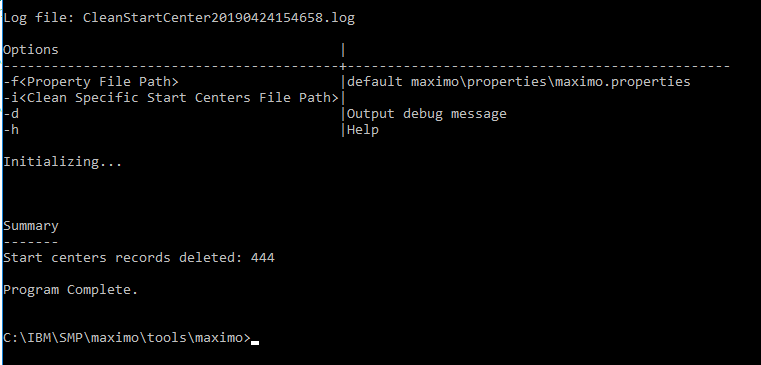
The warning refers to the generated user Start Centers. The templates remain and are used to create new layouts when users next log in. After confirmation, the output identifies the log file and number of records deleted.
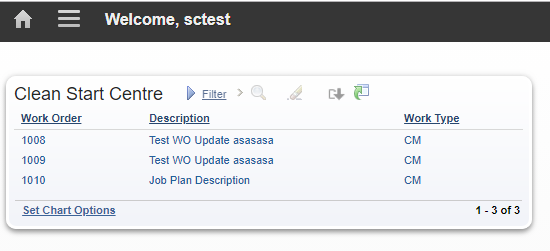
When SCTEST next logs in, Maximo creates a new Start Center from the updated template and the WORKTYPE column appears:
Review the log
The installation wrote logs beneath:
C:\IBM\SMP\maximo\tools\maximo\logConfirm the actual path printed by your run. The log records deletion from the generated layout and portlet configuration tables before removing the corresponding SCConfig rows. A full cleanup in the example generated statements with this shape:
DELETE FROM
  PORTLETDISPLAY
WHERE
  LAYOUTID IN (
    SELECT
      LAYOUTID
    FROM
      LAYOUT
    WHERE
      SCCONFIGID IN (6, 9)
  );

DELETE FROM
  LAYOUT
WHERE
  SCCONFIGID IN (6, 9);

DELETE FROM
  SCCONFIG
WHERE
  SCCONFIGID IN (6, 9);
The tool also cleans the related report list, result set, favorite application, inbox, KPI list, KPI graph and action configuration tables. Treat the log as evidence of what the supported utility did; do not copy its generated SQL into a direct database session.
Enable debug output
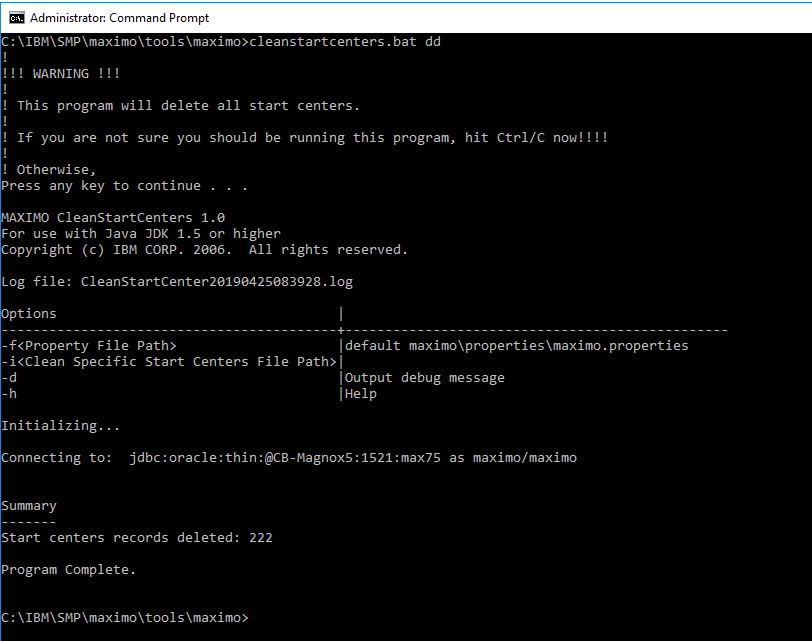
Add dd to enable the tool's debug output:
cleanstartcenters.bat ddThis performs the same unfiltered cleanup while also reporting initialization and database connection details.
Use another properties file
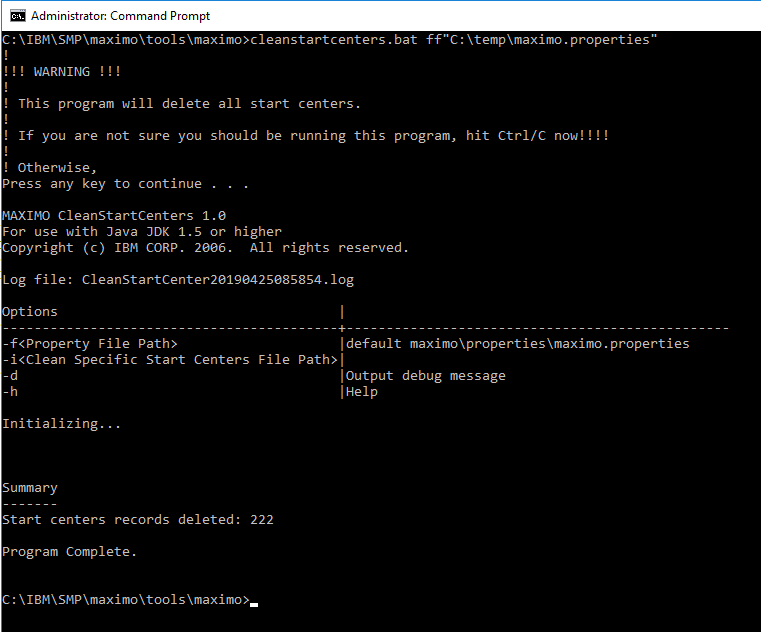
The utility normally uses the Maximo properties beneath the installation's applications\maximo\properties directory. The ff option selects another file:
cleanstartcenters.bat ff"C:\temp\maximo.properties"Quotes are useful when the path can contain spaces. Verify the file identifies the intended environment before accepting the deletion prompt.
Target specific users
The ii option reads an XML cleanup document. This example targets only SCTEST:
<?xml version="1.0"?>
<document docid="SCCleanup">
  <startcenters>
    <startcenterbyuser userid="SCTEST" />
  </startcenters>
</document>
Save it as C:\temp\sctest.xml, then run:
cleanstartcenters.bat ii"C:\temp\sctest.xml"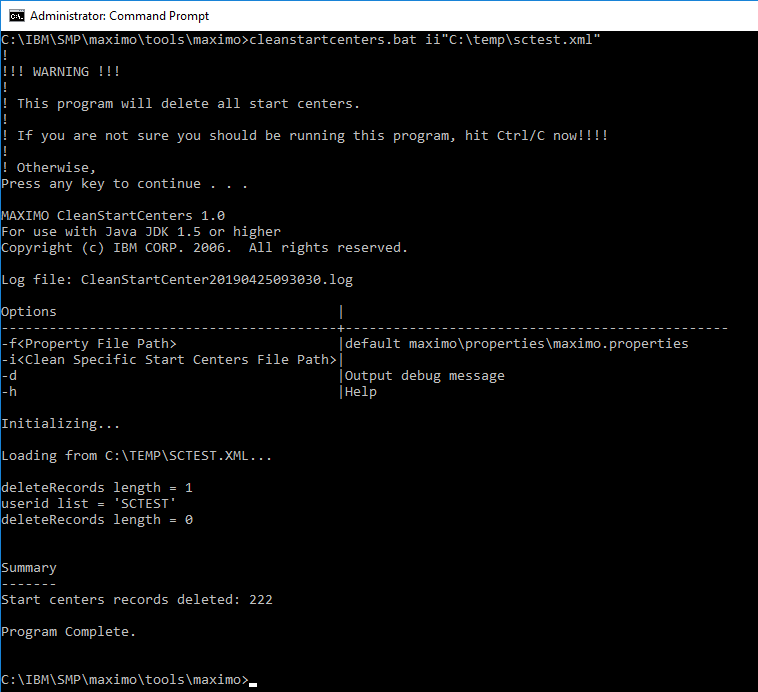
The log should restrict the selected SCConfig rows by user ID. Review it before considering the cleanup complete.
Add one element per user when several accounts need the same refresh:
<?xml version="1.0"?>
<document docid="SCCleanup">
  <startcenters>
    <startcenterbyuser userid="USER1" />
    <startcenterbyuser userid="USER2" />
    <startcenterbyuser userid="USER3" />
  </startcenters>
</document>
Target specific security groups
Use startcenterbygroup to rebuild Start Centers associated with a group:
<?xml version="1.0"?>
<document docid="SCCleanup">
  <startcenters>
    <startcenterbygroup groupname="MAXADMIN" />
  </startcenters>
</document>
Pass the document with the same ii option:
cleanstartcenters.bat ii"C:\temp\maxadmin.xml"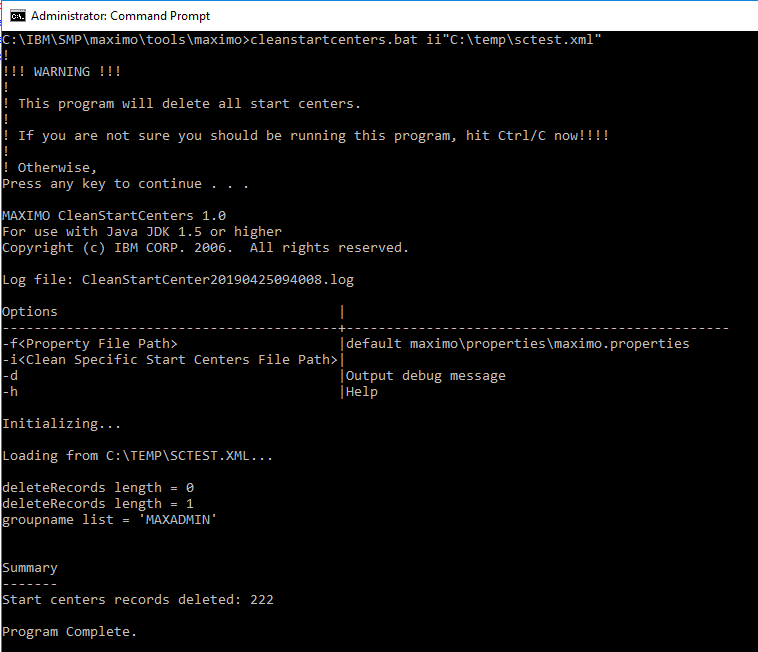
The tool output should select the intended records by GROUPNAME; filtering SCConfig.USERID with the group name targets the wrong column. Inspect the log and stop if its scope is broader than expected.
Multiple groups use repeated elements:
<?xml version="1.0"?>
<document docid="SCCleanup">
  <startcenters>
    <startcenterbygroup groupname="GROUP1" />
    <startcenterbygroup groupname="GROUP2" />
    <startcenterbygroup groupname="GROUP3" />
  </startcenters>
</document>
Validate the refresh
- Review the tool's deleted-record count and SQL log against the intended users or groups.
- Sign in as a representative affected user.
- Confirm Maximo creates the Start Center from the current template.
- Check expected tabs, portlets, queries, KPIs and result-set columns.
- Confirm users outside the requested scope retained their existing Start Centers.
- Record any lost personalization and restore it only after agreeing whether the template or the user's layout is authoritative.