
BMXAA4107E points you towards MAXLOOKUPMAP. In this case, the useful clue was a little earlier in the message: ASSETUID.
I hit this while using the Go To menu to navigate from the Locations application to the Assets application. What should have been a quick jump to an asset became a detour into primary-key metadata.
The error
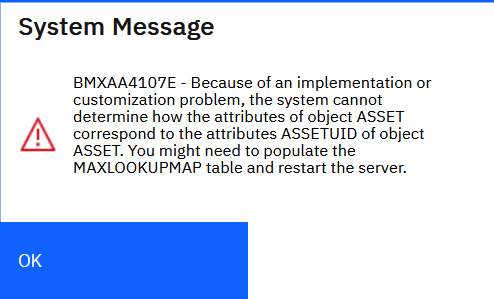
Instead of opening the asset, Maximo displayed BMXAA4107E. The message said it could not determine how the attributes of ASSET corresponded to ASSETUID on ASSET, and suggested populating MAXLOOKUPMAP and restarting the server.
What had changed
The primary-key column configuration recorded in MAXATTRIBUTE.PRIMARYKEYCOLSEQ had changed for ASSET:
| Configuration | Attributes marked as primary-key columns |
|---|---|
| Before | ASSETNUM and SITEID |
| After | ASSETUID |
The Java code handling this Go To mapping expected ASSETNUM and SITEID. With the metadata now identifying ASSETUID instead, the navigation failed with BMXAA4107E.
What to check
If you encounter BMXAA4107E when using a Go To application action, check the primary-key metadata for the object named in the error as well as the lookup mapping. Compare MAXATTRIBUTE.PRIMARYKEYCOLSEQ with the expected configuration for that object in your environment, and investigate whether the key columns have changed. In this case, that meant finding the change from ASSETNUM and SITEID to ASSETUID on ASSET.
The cause identified here was the mismatch between the key metadata and the attributes expected by the navigation code. The MAXLOOKUPMAP suggestion alone did not tell the whole story.