
A standard Maximo lookup returns one value. This legacy customization allows a user to select several ALN domain values, stores them as a comma-separated list, and restores the selections when the lookup is opened again. It uses Application Designer and Jython automation scripts, so it does not require compiled Java.
This is a legacy workaround, not a relational data model. It depends on an internal lookup relationship name, bypasses normal domain validation, and stores several values in one attribute. Test it against your exact Maximo release in a non-production environment. Use a child object when the selections need reliable querying, reporting, integration or referential integrity.
Create the domain and attribute
In Domains, create an ALN domain named MULTIVALUE and add the values that should appear in the lookup. The example values are five characters long.
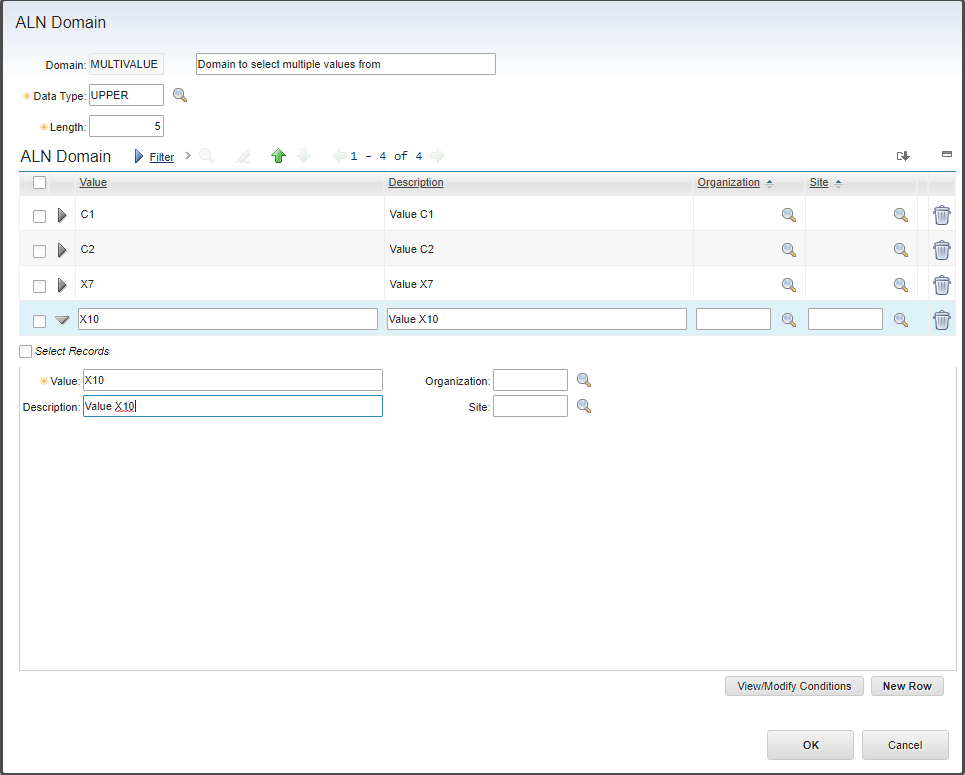
In Database Configuration, add an attribute named MULTIVALUE to WORKORDER and associate it with the new domain. Make the attribute long enough to contain every possible value plus the commas between them. This example uses a length of 100.
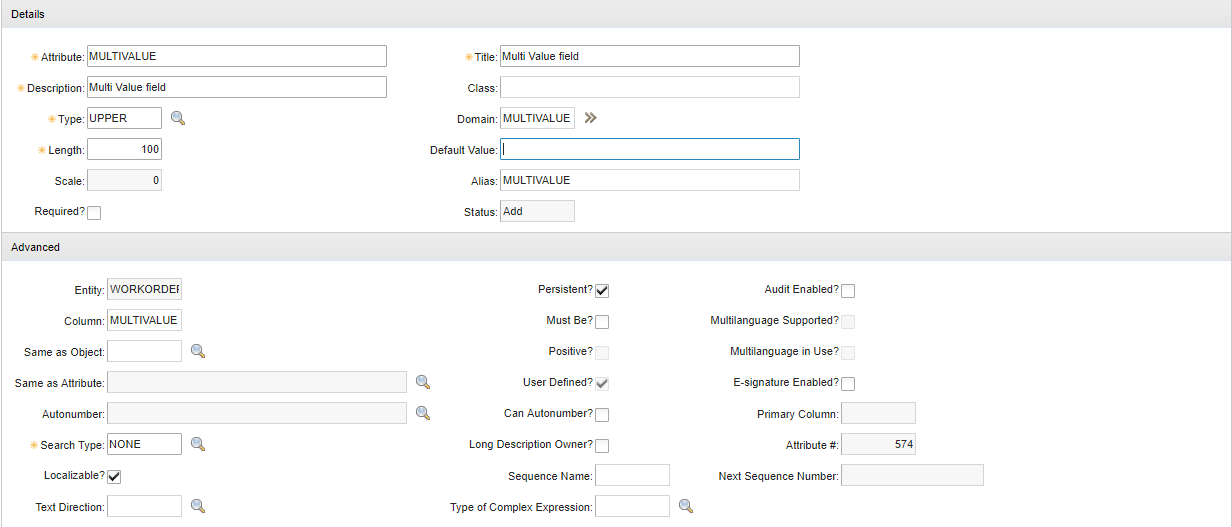
Apply the database configuration change before continuing. Do not allow a domain value to contain a comma: the scripts use commas as delimiters and cannot distinguish one inside a value.
Create the lookup
Export lookups.xml from Application Designer and copy the existing valuelist lookup. Name the copy multivalue and change the table's selectmode to multiple:
<table id="multivalue" inputmode="readonly" selectmode="multiple">
  <tablebody
    displayrowsperpage="20"
    filterable="true"
    filterexpanded="true"
    id="cbmulti_lookup_tablebody"
  >
    <tablecol
      dataattribute="value"
      id="cbmulti_lookup_tablebody_col_5"
      mxevent="selectrecord"
      mxevent_desc="Go To %1"
      sortable="true"
      type="link"
    />
    <tablecol
      dataattribute="description"
      id="cbmulti_lookup_tablebody_col_6"
      mxevent="selectrecord"
      mxevent_desc="Go To %1"
      sortable="true"
      type="link"
    />
  </tablebody>
</table>
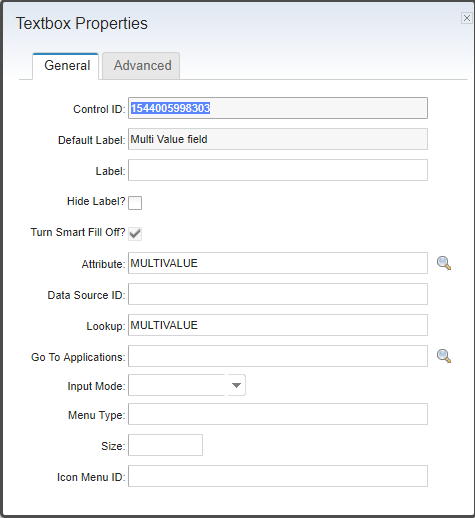
Import the updated lookup definition. Add the MULTIVALUE field to Work Order Tracking and set its lookup to multivalue.
Store the selected values
Create an attribute launch point for WORKORDER.MULTIVALUE and enable its Validate event.
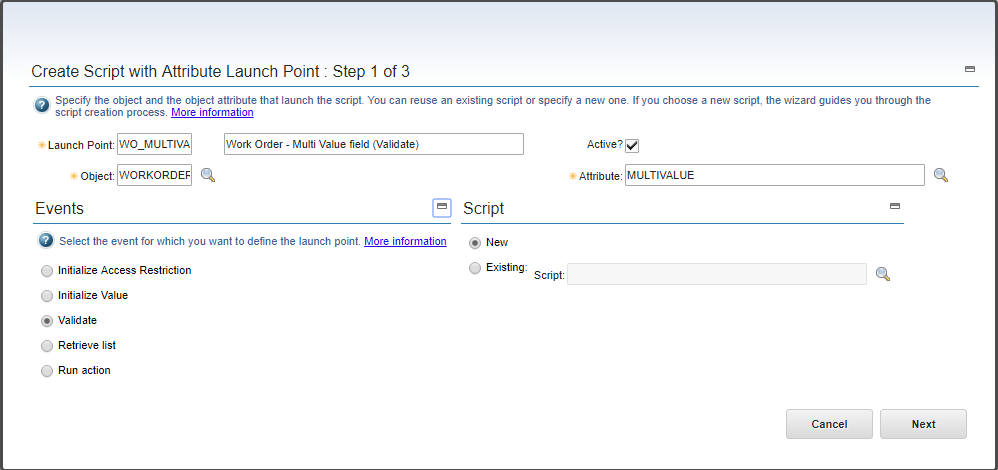
Add an OUT variable named MULTIVALUE, bound to the MULTIVALUE attribute. Suppress action, validation and access-control processing for this output variable. The script writes a comma-separated string, which is not itself one value in the attached ALN domain.
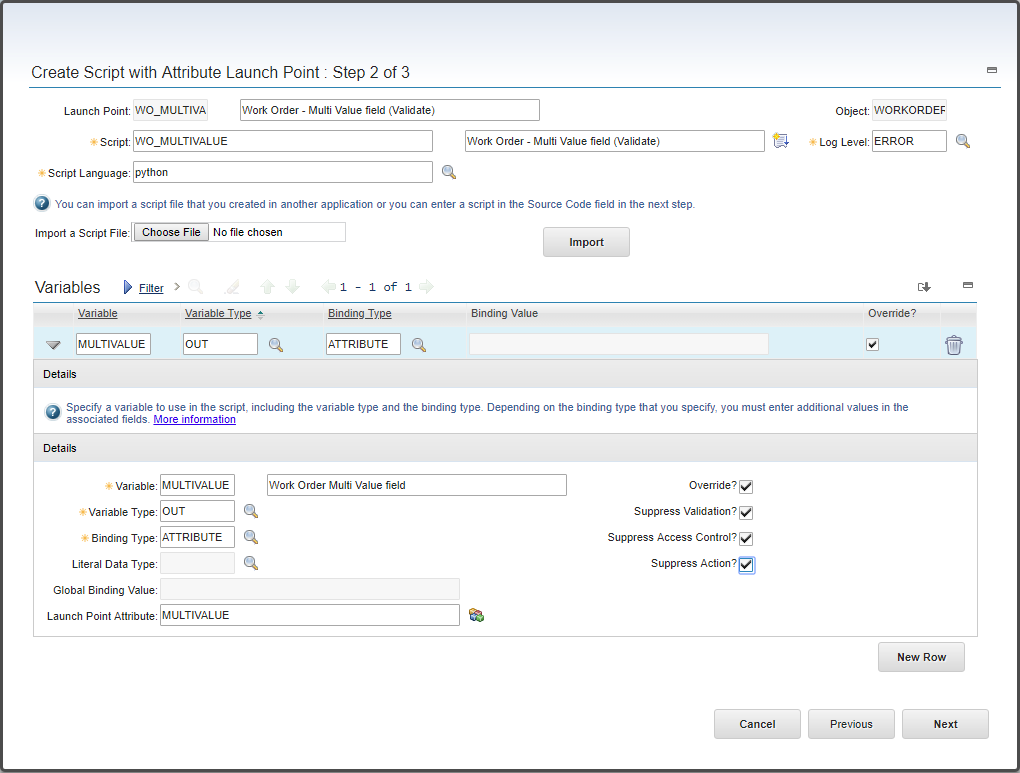
The lookup set is available through the generated relationship __ALNDOMAINMULTIVALUElist. Reset the set to the selected rows, collect their values, and join them with commas:
# Define the list that will hold the selected values
selected_values = []

# Get the lookup MBO set
selected_set = mbo.getExistingMboSet("__ALNDOMAINMULTIVALUElist")

# Ensure the lookup set exists and the value is not being typed
if selected_set is not None:
    # Remove anything from the set that is not selected
    selected_set.resetWithSelection()

    # Move to the first selected record
    selected_record = selected_set.moveFirst()

    # Loop through every selected value
    while selected_record is not None:
        selected_values.append(selected_record.getString("VALUE"))
        selected_record = selected_set.moveNext()

    # Store the selected values, or an empty string when none are selected
    MULTIVALUE = ",".join(selected_values)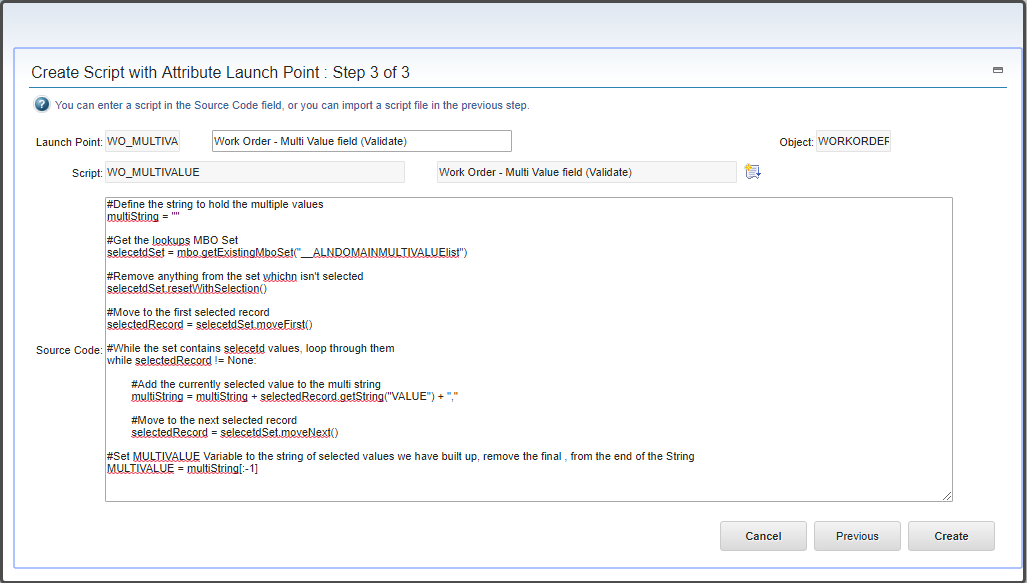
The relationship name is generated from the domain and lookup names. Treat it as version-dependent and confirm it in your environment before relying on it.
Restore selections when the lookup opens
The second script runs when an ALNDOMAIN record is initialized. It checks that the MBO belongs to this lookup, reads the stored string from its owner, and selects matching rows.
If your Maximo release allows an object launch point for ALNDOMAIN, create it directly and enable the Initialize event. In the example environment, ALNDOMAIN was unavailable in the object selector. The workaround was to create a temporary WORKORDER object launch point named exactly ALNDOMAIN_INIT, save it, and then change its object in the database.
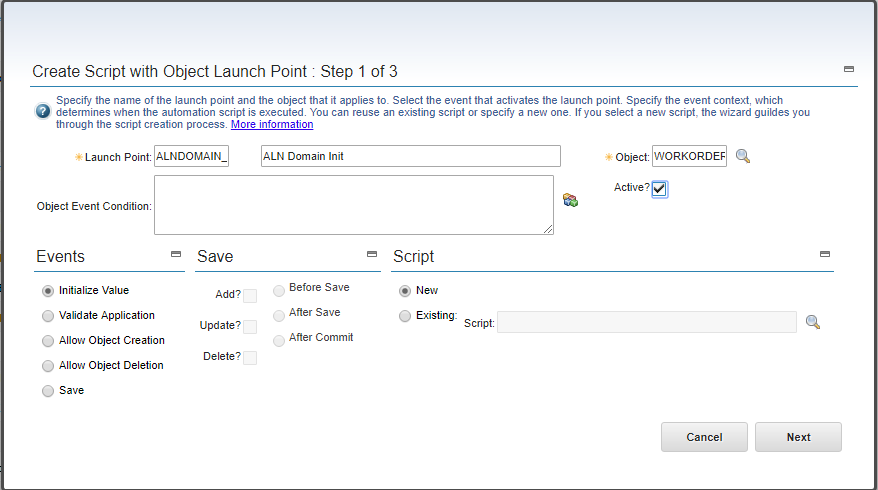
This script needs no variables:
# Check that the script is running for the multi-select lookup
relationship_name = mbo.getThisMboSet().getRelationName()
owner = mbo.getOwner()

if relationship_name == "__ALNDOMAINMULTIVALUElist" and owner is not None:
    # Read the stored values from the Work Order
    stored_value = owner.getString("MULTIVALUE")
    selected_values = stored_value.split(",") if stored_value else []

    # Select the current lookup row when its value was stored
    if mbo.getString("VALUE") in selected_values:
        mbo.select()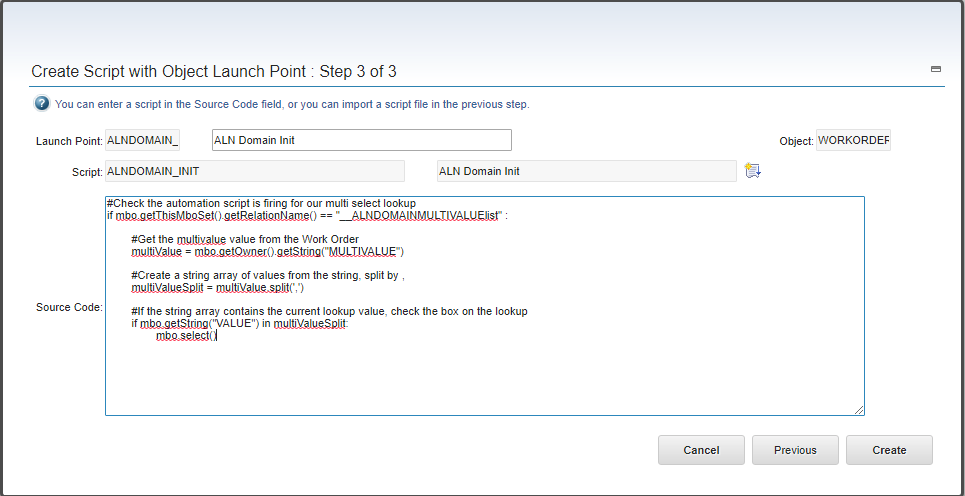
Object initialization scripts run for every MBO of that object. The relationship check keeps the work small, but you should still test lookup and domain performance carefully.
Database fallback for older releases
Use this only when the application cannot create an ALNDOMAIN launch point. Back up the database, work in a maintenance window, and verify the temporary launch point before changing it:
SELECT
  LAUNCHPOINTNAME,
  OBJECTNAME
FROM
  SCRIPTLAUNCHPOINT
WHERE
  LAUNCHPOINTNAME = 'ALNDOMAIN_INIT';
The query must return the one temporary WORKORDER row you just created. Update that row within a transaction:
UPDATE
  SCRIPTLAUNCHPOINT
SET
  OBJECTNAME = 'ALNDOMAIN'
WHERE
  LAUNCHPOINTNAME = 'ALNDOMAIN_INIT'
  AND OBJECTNAME = 'WORKORDER';
Confirm that exactly one row changed, verify the new value, and commit only when it is correct. Roll back otherwise. Restart Maximo so every JVM loads the updated launch point; repeat the validation on each cluster member.
Test the lookup
Open a work order, select several values, and close the lookup.
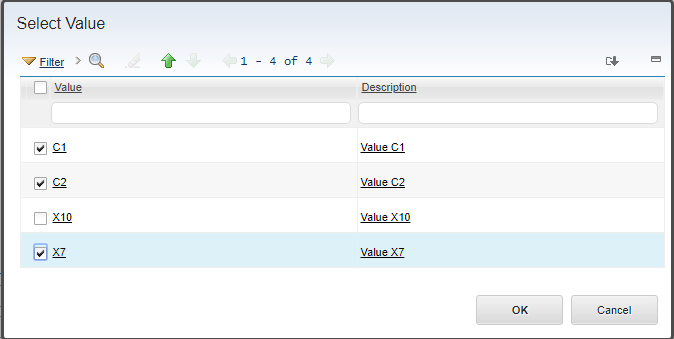
The field should contain the selected values separated by commas.

Save the work order and reopen the lookup. The stored rows should already be selected.
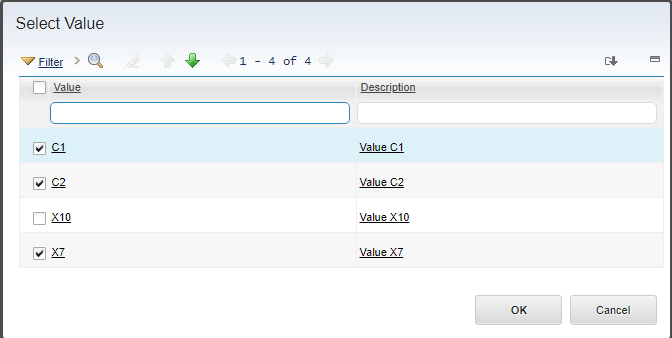
Test selecting, clearing and replacing values, then save and reload each result. Also test the longest permitted selection to make sure the target attribute cannot truncate it.
Typing directly into the field still conflicts with the single-value ALN domain, and integrations can bypass the lookup entirely. If either route must be supported, add explicit validation for every comma-separated value or use a child object instead. A table domain that returns the ALN domain rows can avoid the field's single-value domain check, but it does not solve the storage and reporting limitations.