
Maximo 7.5's legacy REST API can return business object data as JSON. It can also create records, although writes use request parameters rather than the JSON request bodies available in newer APIs.
This walkthrough uses SoapUI and the ASSET MBO endpoint:
https://<maximo-host>/maxrest/rest/mbo/ASSETThis article is for the legacy Maximo 7.5
/maxrest/rest/mboAPI. Maximo 7.6.0.2 and later provide the newer OSLC/JSON API, and current Maximo Manage integrations should use that API with an API key where supported. Do not copy this authentication pattern into a new integration.
Use a non-production environment, HTTPS, a dedicated test account with only the required permissions, and disposable test data. A request for the whole ASSET object can return a large result, so test against a small dataset or apply the paging and filtering options supported by your exact release.
Create the SoapUI request
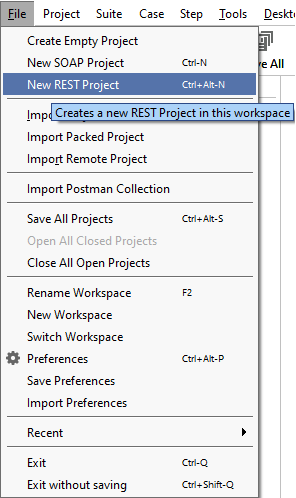
Choose New REST Project in SoapUI:
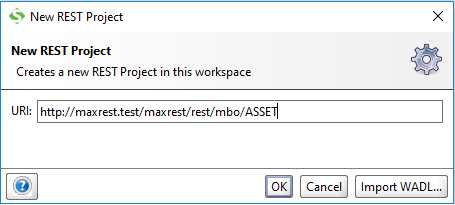
Enter the endpoint for your Maximo environment. The example used a custom maxrest context; yours might use a different context root.
Authenticate native Maximo users with two query parameters:
_lidfor the login ID; and_lpwdfor the password.
Add each parameter to the request with placeholder values:
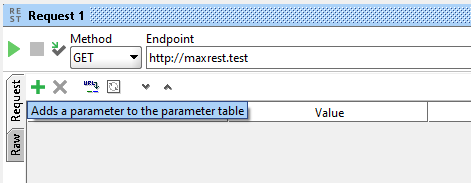
The resulting legacy request has this shape:
GET https://<maximo-host>/maxrest/rest/mbo/ASSET?_lid=<user>&_lpwd=<password>Credentials in a URL can be retained in client history, proxy logs, access logs and monitoring systems. Use this only when reproducing the legacy interface in a controlled environment. Prefer a supported authentication header or authenticated session when the deployment permits it, and never send credentials over plain HTTP.
Request JSON instead of XML
Without a format parameter, this example environment returned XML:
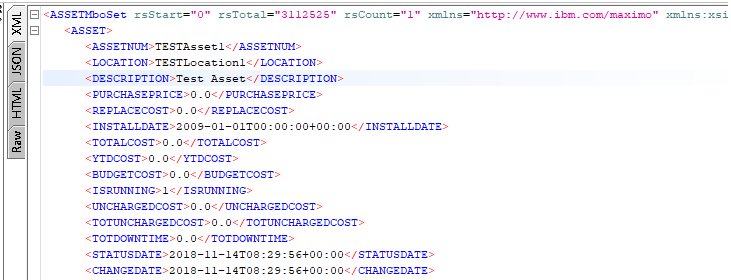
Add _format=json to request the JSON representation. The Maximo 7.5 interface treats the value as case-sensitive, so use lowercase json.

The request now has this shape:
GET https://<maximo-host>/maxrest/rest/mbo/ASSET?_format=json&_lid=<user>&_lpwd=<password>Send it again and SoapUI displays the response as JSON:
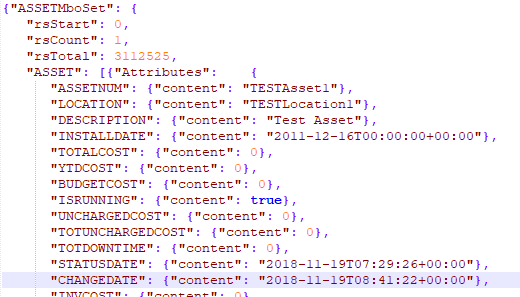
IBM's Maximo 7.5 integration guide also documents _compact for a simpler JSON representation without field-level metadata. Check the response shape expected by your consumer before enabling it.
Create an asset
Maximo 7.5's legacy endpoint does not accept the newer JSON request-body pattern. To reproduce the example, change the SoapUI method to POST:
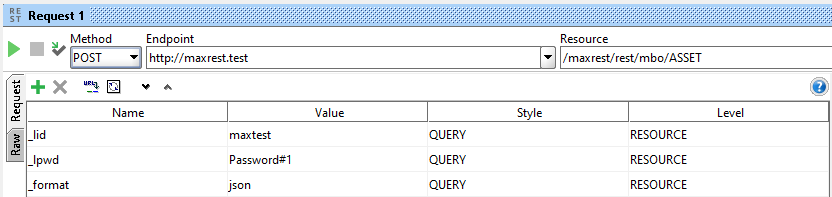
Add the asset fields as request parameters. The example creates this disposable record:
ASSETNUM:TESTASSET1DESCRIPTION:Test Asset DescriptionSITEID:TEST
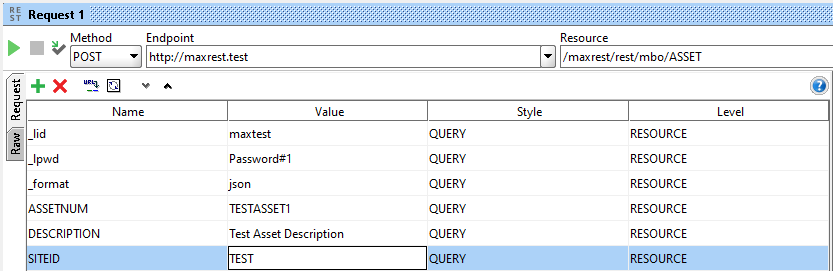
The request has this form, with every value URL-encoded by the client:
POST https://<maximo-host>/maxrest/rest/mbo/ASSET
  ?ASSETNUM=TESTASSET1
  &DESCRIPTION=Test%20Asset%20Description
  &SITEID=TEST
  &_format=json
  &_lid=<user>
  &_lpwd=<password>
The line breaks above are only for readability; they are one request URL. Keep the request body empty for this legacy parameter-based example.
When the request succeeds, Maximo creates the asset and returns its representation in JSON because _format=json is still present:
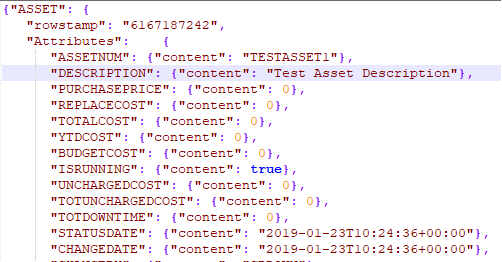
Check the HTTP status as well as the response body. Then open the asset in Maximo and verify its site, description, status and generated identifiers. Delete the disposable record through the supported application process when testing is complete.
Moving this integration forward
Treat /maxrest/rest/mbo as a compatibility interface for an existing Maximo 7.5 integration. When upgrading, plan a separate migration to the OSLC API rather than changing URLs without regression testing. Authentication, response structure, object structures, field selection, paging, error documents and write semantics all differ.
For current Maximo REST integrations, IBM recommends API keys for headless clients where the deployment supports them. API keys retain the associated user's Maximo permissions and avoid placing a password in every URL.