
Maximo 7.6's OSLC REST API exposes object structures as JSON resources. A client can retrieve a collection, select only the fields it needs, filter root and related records, follow resource links and reuse saved application queries.
This guide uses the MXASSET object structure and the /maximo/oslc/os/mxasset route. Object structure names, attributes and relationships are controlled by your Maximo configuration and the permissions of the API user.
Use HTTPS for every request. The examples use placeholder hosts, users and secrets; do not copy real credentials into an article, source repository or shared Postman collection.
Choose the authentication method
Authentication depends on the Maximo generation and security configuration.
| Environment | Suitable method |
|---|---|
| Maximo 7.6 with native authentication | Legacy MAXAUTH login and session cookie |
| Maximo 7.6 with application-server auth | Supported Basic, form or SSO flow |
| Maximo 7.6.0.9 or later headless client | API key where the deployment supports it |
| Maximo Manage | API key |
An API key belongs to a Maximo user and inherits that user's permissions. Send it in the apikey request header, keep it in a secret store and give the user only the object structures, sites and actions the integration requires.
GET /maximo/api/os/mxapiasset?lean=1 HTTP/1.1
Host: maximo.example.com
Accept: application/json
apikey: <secret>
The route can be /api or /oslc depending on the product version and authentication configuration. Use the route documented for your environment.
Legacy native-authentication session
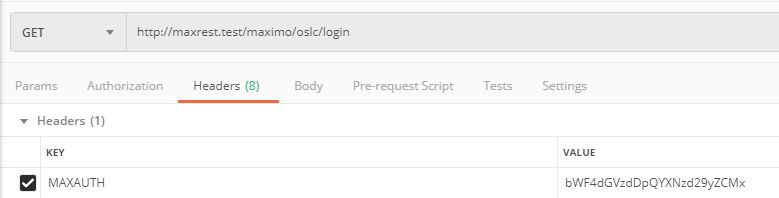
Maximo 7.6 native authentication can create a session with POST /oslc/login. MAXAUTH contains Base64-encoded username:password text:
POST /maximo/oslc/login HTTP/1.1
Host: maximo.example.com
Accept: application/json
MAXAUTH: <base64-encoded-username-and-password>
Base64 is encoding, not encryption. Use it only over HTTPS and do not save the header in a shared client collection.
Create a collection and save a login request:
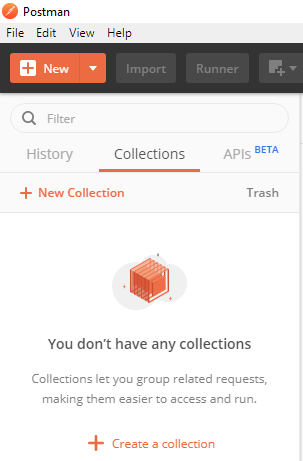
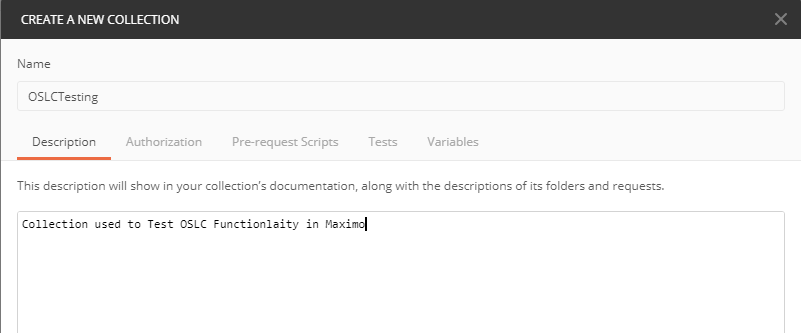
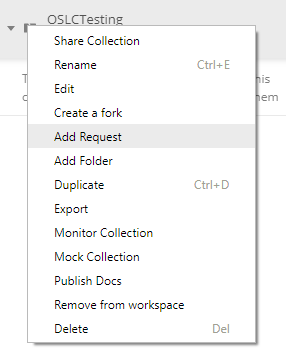
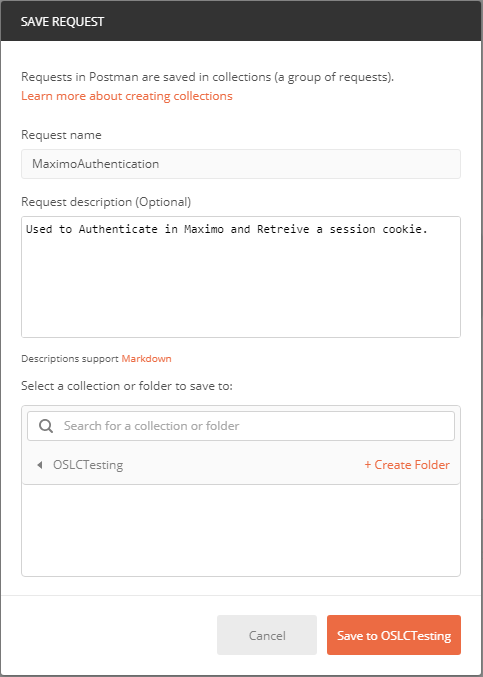


A successful login returns session information and cookies:
{
  "sessiontimeout": 1800,
  "inactivetimeout": 120,
  "maxupg": "V7610-83",
  "appserversecurity": false
}
Postman can replay the JSESSIONID cookie for later requests to the same host:
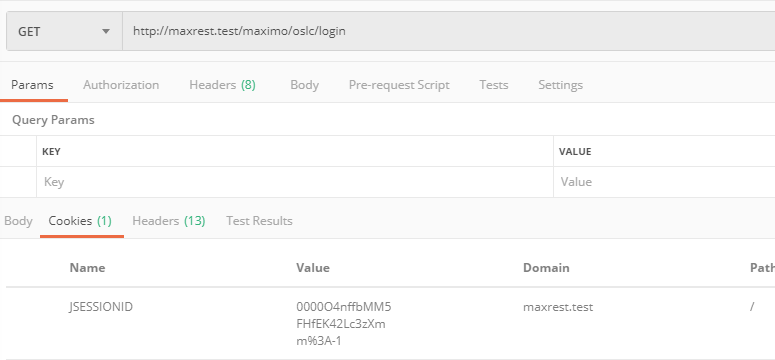
Reuse the authenticated session rather than logging in before every call, then call the configured logout endpoint when the client finishes. API-key requests do not create this server-side session and do not require logout.
Query an object structure
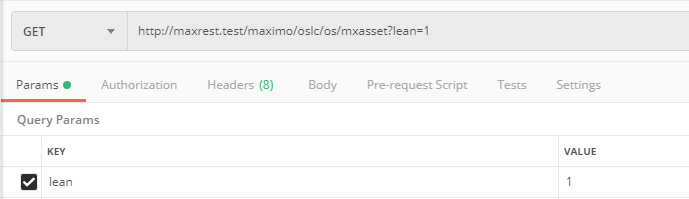
Create a GET request for the asset object structure:
GET /maximo/oslc/os/mxasset?lean=1 HTTP/1.1
Host: maximo.example.com
Accept: application/json

Without lean=1, older 7.6 responses include RDF and OSLC namespace keys such as rdfs:member and rdf:resource. Lean mode removes that namespace noise and uses the simpler member, href and responseInfo structure.
{
  "member": [
    {
      "href": "https://maximo.example.com/maximo/oslc/os/mxasset/_MTMxNTAvQkVERk9SRA--"
    }
  ],
  "href": "https://maximo.example.com/maximo/oslc/os/mxasset",
  "responseInfo": {
    "href": "https://maximo.example.com/maximo/oslc/os/mxasset?lean=1"
  }
}
Follow a member's returned href to retrieve that resource. Do not construct a resource URL from a database ID unless the object structure explicitly documents that identifier format.

Select only the fields you need
Use oslc.select to limit the response:
oslc.select=assetnum,description,siteid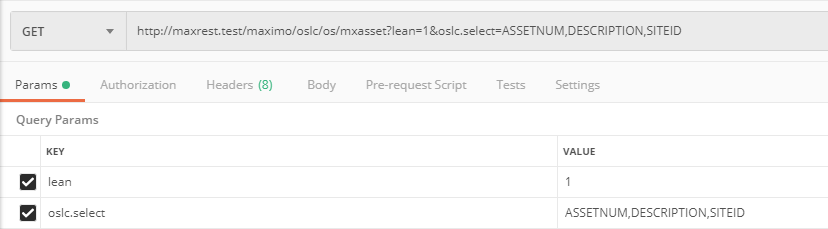
The collection now contains useful data rather than little more than resource links:
{
  "member": [
    {
      "assetnum": "13150",
      "description": "Top Breaker System",
      "siteid": "BEDFORD",
      "href": "https://maximo.example.com/maximo/oslc/os/mxasset/_MTMxNTAvQkVERk9SRA--"
    }
  ]
}
Selecting fewer attributes reduces MBO initialization, database work and response size. Avoid oslc.select=* for routine integration calls.
Include child and related data
Curly braces select fields from a child object included in the object structure:
oslc.select=assetnum,description,siteid,assetusercust{personid}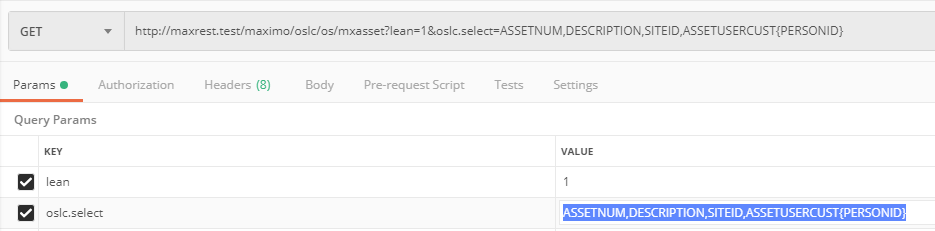
The REL form uses a Maximo relationship even when the related object is not an included child:
oslc.select=assetnum,description,siteid,REL.assetcustodian{personid}Relationship expansion can generate extra queries for every returned parent. Select it only when the client needs the data, keep the page small and measure the resulting SQL load.
Filter the collection
Use oslc.where rather than downloading the complete collection and filtering it in the client:
oslc.where=assetnum="TESTASSET1" and status="ACTIVE"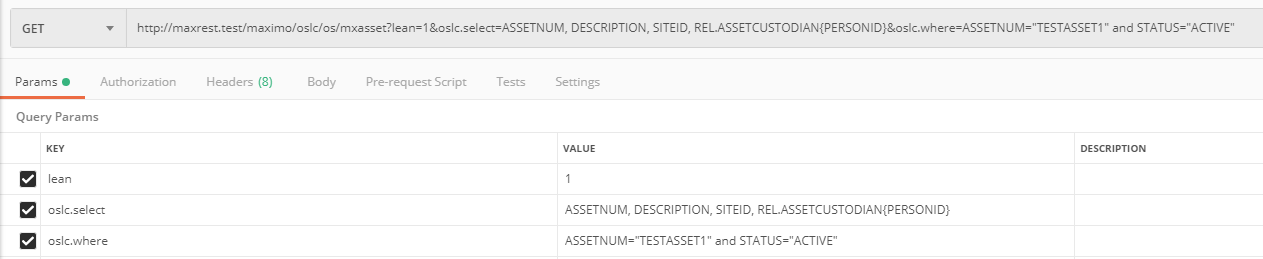
OSLC filters are not raw SQL. They use double-quoted values and support comparison operators such as =, !=, <, >, <= and >=. Wildcards are expressed through the equality syntax:
description="%TEST%"Encode % as %25 when manually constructing a URL. Null checks use the null keyword documented for oslc.where; do not carry the older list-tab "*" convention into a new API client.
Let the HTTP library encode query parameters. With curl, --data-urlencode keeps quotes, spaces and percent signs intact:
curl --get \
  --header "Accept: application/json" \
  --header "apikey: $MAXIMO_API_KEY" \
  --data-urlencode "lean=1" \
  --data-urlencode "oslc.select=assetnum,description,siteid" \
  --data-urlencode 'oslc.where=assetnum="TESTASSET1" and status="ACTIVE"' \
  --data-urlencode "oslc.pageSize=20" \
  "https://maximo.example.com/maximo/api/os/mxapiasset"
Filter through a child or relationship
The original MXASSET example filters assets by custodian. A child-object expression looks like this:
oslc.where=assetusercust{personid="BOYD"}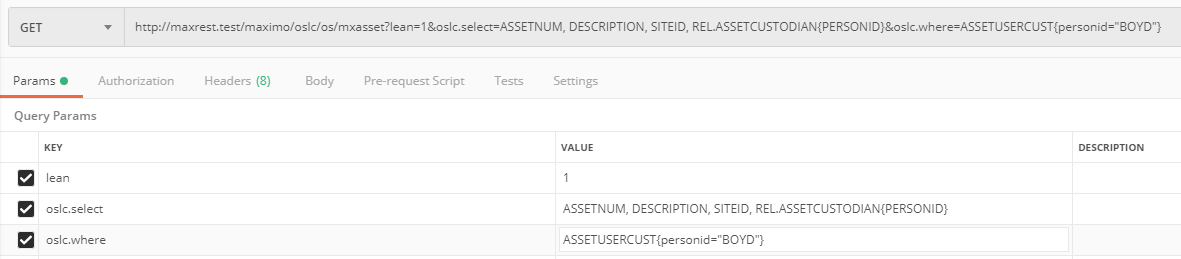
The configured ASSETCUSTODIAN relationship can express the same business test:
oslc.where=assetcustodian.personid="BOYD"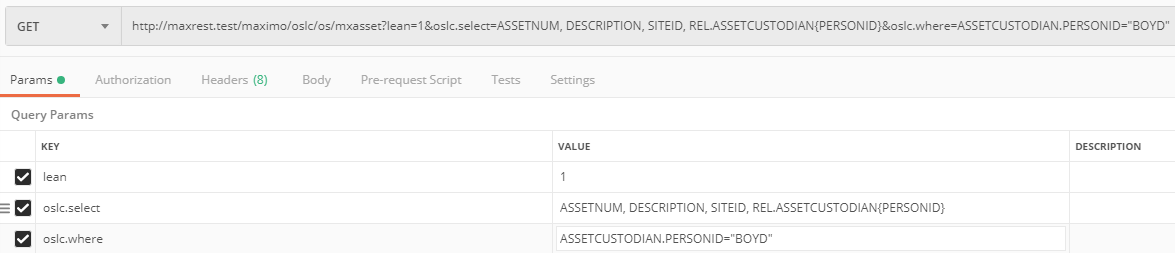
Relationship names and permitted fields come from the object structure and Maximo metadata. Confirm them in the target environment instead of assuming that a relationship from another system exists.
Reuse a saved query
If users already rely on an application query, expose it through the object structure rather than duplicating its conditions in every client. The example query is named TESTQUERY:
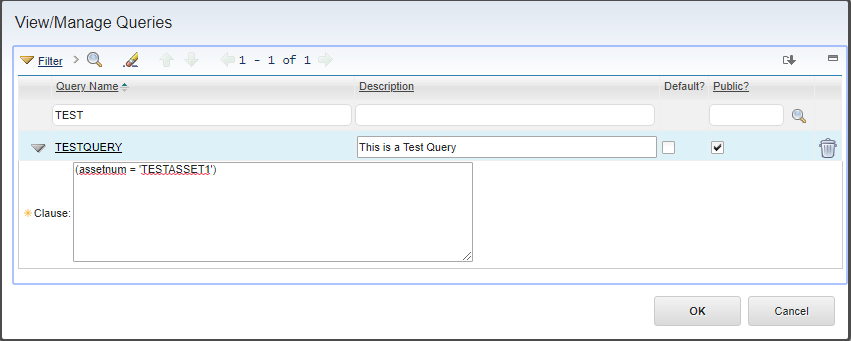
Pass the name with savedQuery:
savedQuery=TESTQUERY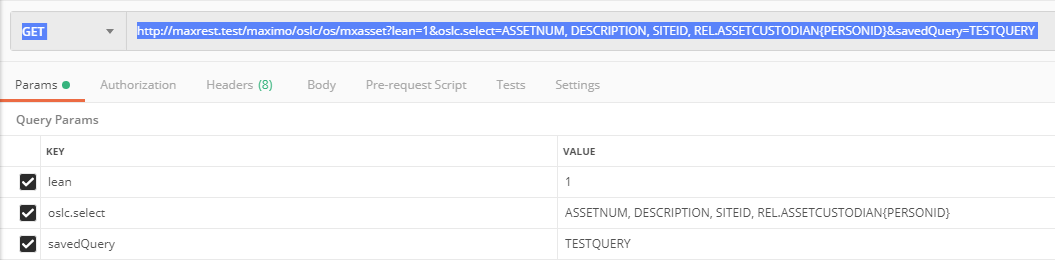
The object structure must be associated with the authorizing application, and the API user must be allowed to run the query. Treat changes to a shared saved query as an API contract change because they alter every client's result set.
Object structure metadata lists available query capabilities:
GET /maximo/oslc/apimeta/mxasset?lean=1 HTTP/1.1Use text search
Where the object structure supports it, specify the attributes and search terms:
searchAttributes=assetnum,description
oslc.searchTerms=test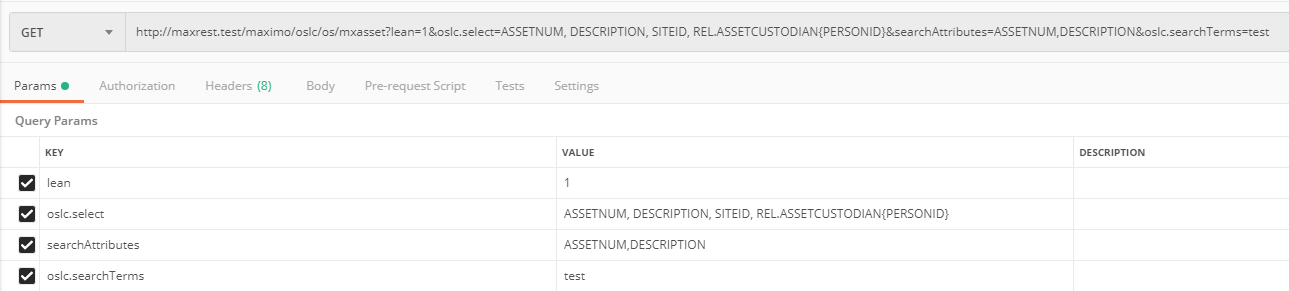
Text-search behaviour depends on the database and Maximo text-search configuration. Use oslc.where for precise structured conditions and text search for the enabled searchable fields.
Sort and page every collection
Do not rely on a collection's default page size or row order. Request a bounded page and stable ordering:
oslc.pageSize=20
oslc.orderBy=+assetnum,+siteid
The plus signs must be URL encoded when they appear in a manually constructed URL. Follow the next-page link returned in responseInfo rather than inventing the next URL. Stop when the response contains no next-page link.
Choose a page size based on the fields and relationships selected, then test it with production-like data. Large pages and relationship-heavy selections multiply memory, SQL and network cost.
Production checklist
- Use HTTPS and validate the server certificate.
- Prefer an API key for a supported headless integration.
- Give the API user the minimum object, site and action permissions.
- Store secrets outside code and Postman exports.
- Select only required fields.
- Apply a bounded page size and deterministic order.
- URL-encode every query parameter through the HTTP client.
- Follow returned resource and paging links.
- Handle
401,403,404,409,429and server errors explicitly. - Test empty collections, multiple pages and permissions across sites.
- Revoke or rotate credentials when the client is retired.