
Searching for a phrase such as Welcome to Maximo can reveal publicly reachable Maximo login pages. The application may still require credentials, but there is rarely a good reason for an internal or customer-specific login page to appear in public search results.
For an older Maximo installation, you can add a robots noindex rule to the login page. This tells search engines that honour the rule to remove the page from their indexes.
This is not an access control:
noindexdoes not make Maximo private, prevent direct access or stop hostile scanners. Keep authentication, network restrictions and your normal security controls in place.
Back up the login page
Browse to the login-page source directory:
<install-root>\SMP\maximo\applications\maximo\maximouiweb\webmodule\webclient\login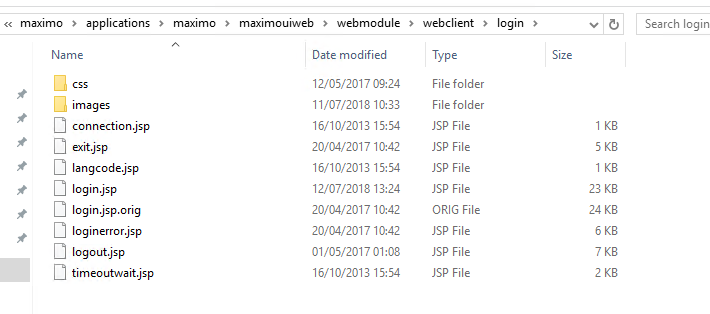
Make a backup of login.jsp, then open the original file in a text editor. Remember that a later product update can replace customised application files, so keep a record of this change as well as a backup.
Add the robots rule
Find the opening <html> element and the page's existing <head> section.
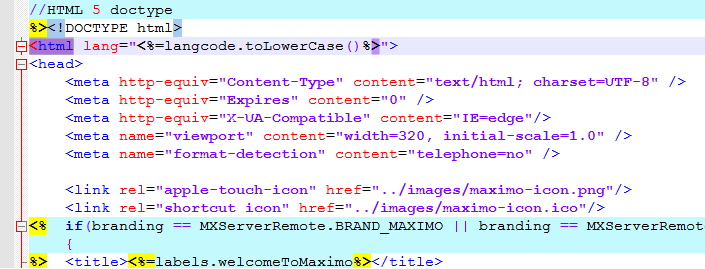
Add this element alongside the existing metadata inside <head>:
<meta name="robots" content="noindex, nofollow" />noindexasks supporting search engines not to include the login page in their results.nofollowasks them not to follow links found on that page.
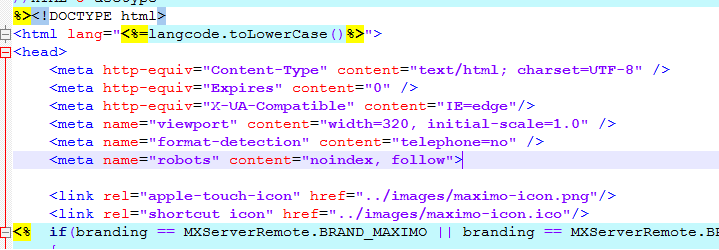
Save the file, then rebuild and redeploy the Maximo EAR using the process for your installation. After deployment, open the login page and inspect the rendered HTML to confirm that the robots element appears inside <head>.
Google must be allowed to crawl the page to see a noindex rule. Do not also block the login URL in robots.txt, because the crawler might then retain the URL without being able to read the instruction. Google's current noindex documentation explains this interaction.
Prefer a response header when you control the web tier
Editing login.jsp works for the login page, but it ties the change to a file inside the Maximo application. If you control the reverse proxy or web server in front of Maximo, consider sending this response header across the whole public Maximo hostname instead:
X-Robots-Tag: noindex, nofollowThe X-Robots-Tag specification gives the header the same indexing role without modifying the JSP. Apply it carefully if the web server also hosts content that should remain searchable.
Remove an existing search result
The rule takes effect after a search engine crawls the page again. If the login URL is already visible in Google and needs to disappear quickly, use the Search Console Removals tool.
A removal request is temporary. Leave the noindex element or response header in place for the permanent instruction, and use Search Console's URL Inspection tool to confirm that Google can retrieve it. Other search engines have their own removal and inspection tools.