
Primavera P6 Version 7 and Maximo 7.6.1 can be integrated through P6 web services and the Maximo Integration Framework. The difficult part is their age gap: P6 Version 7 ships an old Apache CXF and SOAP stack that conflicts with the newer libraries available to Maximo on WebSphere 9.
The solution puts the P6 client dependencies in a WebSphere shared library, selects the SOAP implementations expected by that stack, and creates the P6 port with a CXF proxy rather than the generated service class.
This is a frozen legacy configuration for Primavera P6 Version 7, Maximo 7.6.1 and WebSphere 9. It introduces old versions of CXF, Spring, SAAJ and XML security libraries into a Maximo JVM. Use it only to maintain an existing integration after security, licensing and compatibility review. Prefer upgrading P6 or isolating the integration in a separate service instead of bringing these libraries into a current Maximo deployment.
Back up the WebSphere configuration, test on an isolated non-production JVM, and keep a rollback copy of every existing JVM argument and class-loader setting.
Assemble the P6 client library
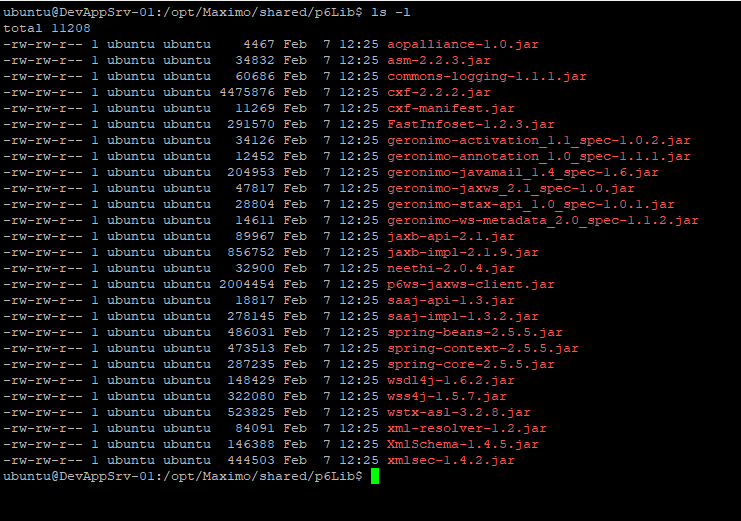
The example environment uses these JARs from the P6 Version 7 Web Services installation:
aopalliance-1.0.jar
asm-2.2.3.jar
commons-logging-1.1.1.jar
cxf-2.2.2.jar
cxf-manifest.jar
FastInfoset-1.2.3.jar
geronimo-activation_1.1_spec-1.0.2.jar
geronimo-annotation_1.0_spec-1.1.1.jar
geronimo-javamail_1.4_spec-1.6.jar
geronimo-jaxws_2.1_spec-1.0.jar
geronimo-stax-api_1.0_spec-1.0.1.jar
geronimo-ws-metadata_2.0_spec-1.1.2.jar
jaxb-api-2.1.jar
jaxb-impl-2.1.9.jar
neethi-2.0.4.jar
p6ws-jaxws-client.jar
saaj-api-1.3.jar
saaj-impl-1.3.2.jar
wsdl4j-1.6.2.jar
wss4j-1.5.7.jar
wstx-asl-3.2.8.jar
xml-resolver-1.2.jar
XmlSchema-1.4.5.jar
xmlsec-1.4.2.jar
It also used the following Spring dependencies because the replacement client construction uses CXF's JaxWsProxyFactoryBean:
spring-core-2.5.5.jar
spring-context-2.5.5.jar
spring-beans-2.5.5.jar
Obtain the complete dependency set from the licensed P6 installation and an approved internal artifact repository. Verify checksums, scan it and keep it as one reviewed bundle. Do not assemble a production class path from unrelated download sites.
Place the bundle in a location available at the same path to every WebSphere node that can run Maximo. A shared network path works only if the WebSphere service account can read it reliably; identical node-local directories remove that runtime dependency.
Create the WebSphere shared library
Sign in to the WebSphere administrative console:
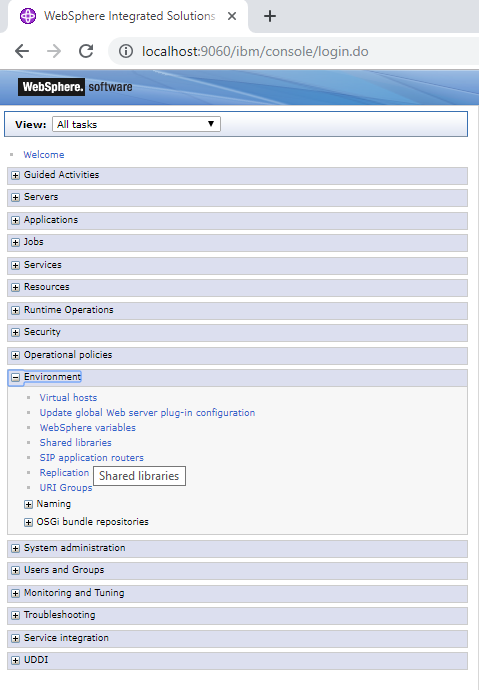
Open Environment → Shared libraries:
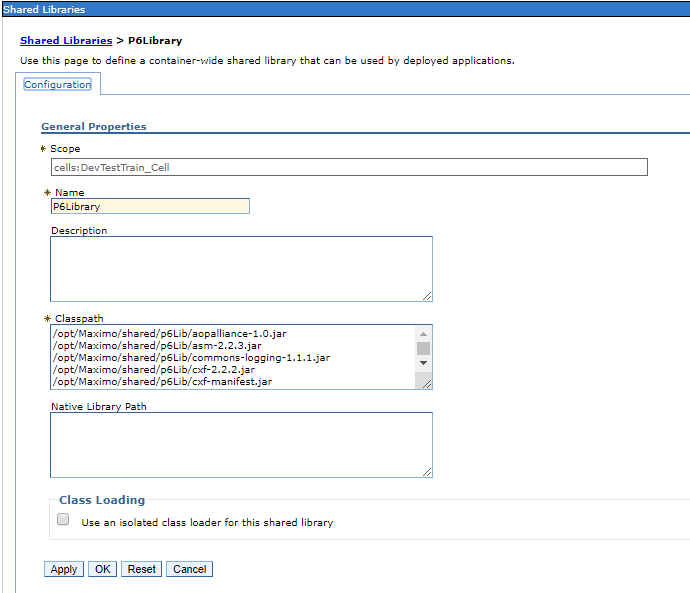
Choose the narrowest scope containing every target that runs the integration, then create a library:

Give it a descriptive name such as PrimaveraP6V7Client and enter the reviewed JAR paths in Classpath. The example configuration left Use an isolated class loader for this shared library clear.
Defining a shared library does not load it. Associate it with the Maximo enterprise application or the exact module that contains the integration under Applications → Application Types → WebSphere enterprise applications → MAXIMO → Shared library references. Application-level association limits the library to Maximo; server-level association exposes it to every application on that JVM.
Do not associate the same library at both application and server level. Record the class-loader order before changing it. A parent-last loader can override WebSphere classes but can also cause ClassCastException, LinkageError and subtle XML-stack conflicts, so use it only when a tested dependency analysis requires it.
Save the master configuration and synchronize every affected node:

Select the SOAP implementations
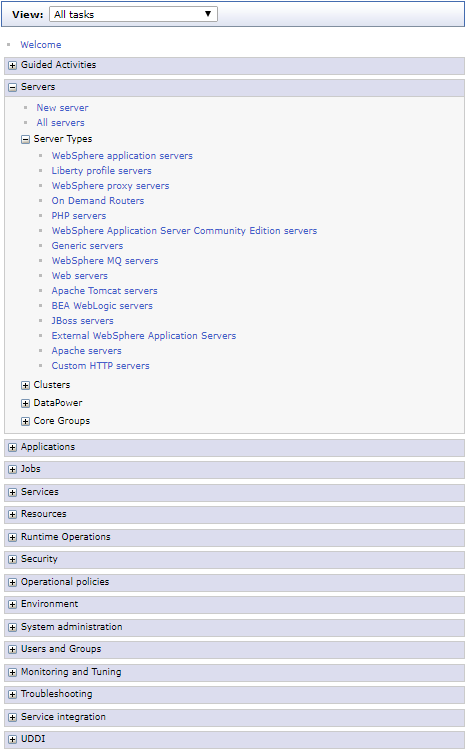
Open Servers → Server Types → WebSphere application servers:
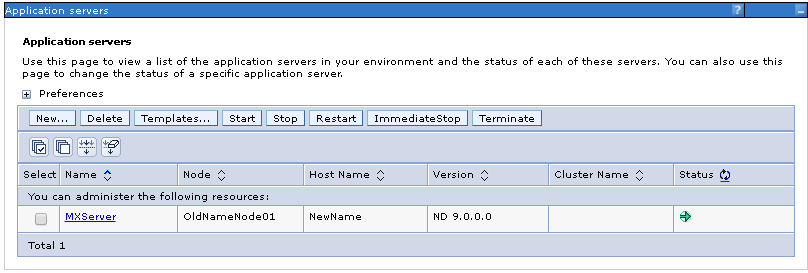
Select the Maximo server:
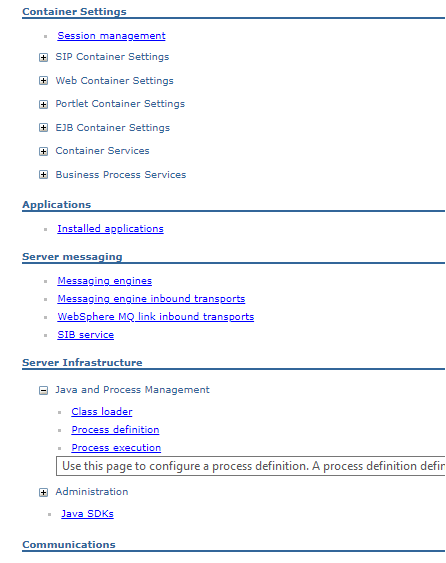
Open Java and Process Management → Process definition:
Under Additional Properties, open Java Virtual Machine:
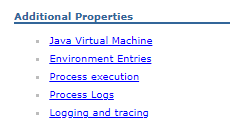
The example environment added these four system properties to Generic JVM arguments:
-Djavax.xml.soap.MessageFactory=com.sun.xml.internal.messaging.saaj.soap.ver1_1.SOAPMessageFactory1_1Impl
-Djavax.xml.soap.SOAPFactory=com.sun.xml.internal.messaging.saaj.soap.ver1_1.SOAPFactory1_1Impl
-Djavax.xml.soap.SOAPConnectionFactory=com.sun.xml.internal.messaging.saaj.client.p2p.HttpSOAPConnectionFactory
-Djavax.xml.soap.MetaFactory=com.sun.xml.internal.messaging.saaj.soap.SAAJMetaFactoryImpl
Append them without deleting the JVM's existing arguments. These properties affect every application and SOAP client in that JVM, not just Primavera. A dedicated Maximo integration JVM gives this workaround a smaller blast radius. Apply the equivalent change to every cluster member that can execute the integration, save, synchronize, and restart those servers.
If startup reports that one of the implementation classes cannot be found, do not substitute another provider blindly. Confirm which JAR supplies it, which class loader loaded the SAAJ API, and whether the reviewed combination matches the working legacy environment.
Create the P6 service port with CXF
The P6 demo code creates an EPSService from its WSDL and obtains the generated port:
URL wsdlUrl = new URL(wsdlUrlString);
EPSService service = new EPSService(wsdlUrl);
EPSPortType servicePort = service.getEPSPort();
Client client = ClientProxy.getClient(servicePort);
setCookieOrUserTokenData(client);
In the Maximo environment, that construction selected incompatible libraries. The workaround creates a CXF proxy directly from the generated service interface:
JaxWsProxyFactoryBean factory = new JaxWsProxyFactoryBean();
factory.setAddress(epsServiceEndpoint);
factory.setServiceClass(EPSPortType.class);

EPSPortType servicePort = (EPSPortType) factory.create();
Client client = ClientProxy.getClient(servicePort);
setCookieOrUserTokenData(client);
epsServiceEndpoint must be the SOAP endpoint, not the WSDL document URL. The generated EPSPortType still comes from the licensed P6 client stub JAR. Preserve the existing setCookieOrUserTokenData behavior so the port receives the authenticated P6 session cookie or user token expected by that server.
The relevant imports are:
import org.apache.cxf.endpoint.Client;
import org.apache.cxf.frontend.ClientProxy;
import org.apache.cxf.jaxws.JaxWsProxyFactoryBean;

import com.primavera.ws.p6.eps.EPSPortType;
Do not log the endpoint's credentials, authentication token or session cookie. Set connection and receive timeouts, close or expire sessions according to the P6 authentication mode, and avoid retrying non-idempotent operations unless the integration can detect duplicates.
Validate and roll back
After restart, test one read-only P6 operation before permitting writes. Check:
- WebSphere starts without class-loading, linkage, XML-provider or security errors.
- The Class Loader Viewer shows the intended shared library against the Maximo module.
- Authentication establishes a P6 session and a simple EPS read succeeds.
- Timeout and authentication failures return controlled integration errors.
- Existing Maximo SOAP integrations and web services still work.
- Every cluster member produces the same result.
If validation fails, stop the affected JVM, remove the four added system properties, remove the Maximo shared-library reference, restore the previous class-loader settings, synchronize the nodes, and restart. Keep the library definition until rollback is confirmed, then remove it separately if it is no longer referenced.