
When a SOAP request reaches a Maximo web service but fails during processing, WebSphere can replace the useful exception with a generic fault:
<soapenv:Envelope xmlns:soapenv="http://schemas.xmlsoap.org/soap/envelope/">
  <soapenv:Body>
    <soapenv:Fault>
      <faultcode>soapenv:Server</faultcode>
      <faultstring>Internal Error</faultstring>
      <detail />
    </soapenv:Fault>
  </soapenv:Body>
</soapenv:Envelope>
This is SOAP fault unification. WebSphere enables it by default so inbound callers do not receive internal details about why message processing failed.
For an approved integration that needs Maximo business errors in its SOAP responses, set the WebSphere JVM custom property webservices.unify.faults to false on the application server that hosts the web service.
Detailed faults can disclose sensitive information. They may expose implementation details, security failures, identifiers or submitted values. Prefer server logs and correlation information for general production diagnostics. Set this property to
falseonly after reviewing who can invoke the service and what its faults contain.
Open the application server
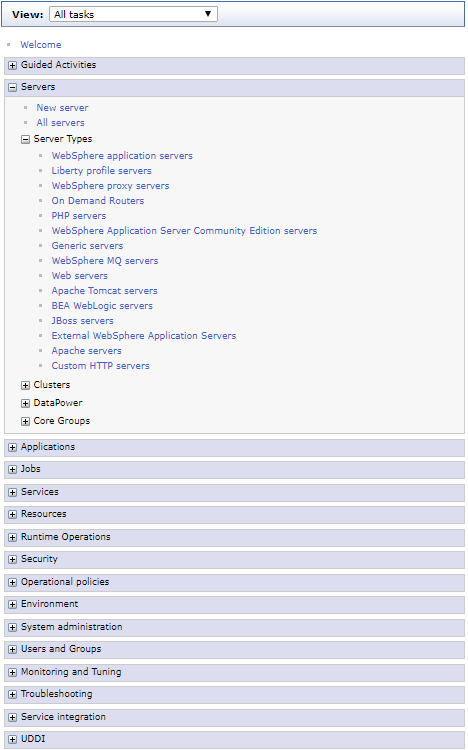
Sign in to the WebSphere Integrated Solutions Console and open Servers → Server Types → WebSphere application servers.
Select the server that runs the Maximo web-service application. In a cluster, repeat the configuration for every member that can handle the request.
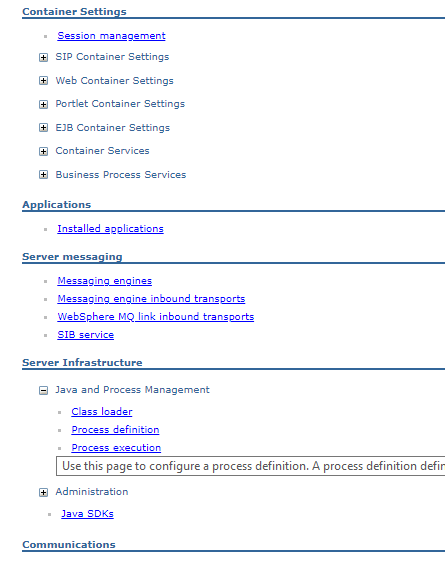
Under Server Infrastructure, expand Java and Process Management and open Process definition.
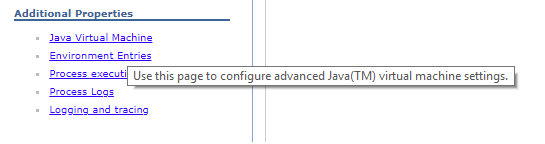
Under Additional Properties, select Java virtual machine.
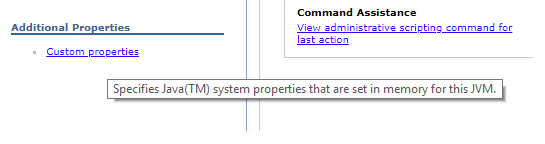
Then open Custom properties.
Configure fault unification
Create or update this property:
| Setting | Value |
|---|---|
| Name | webservices.unify.faults |
| Value | false |
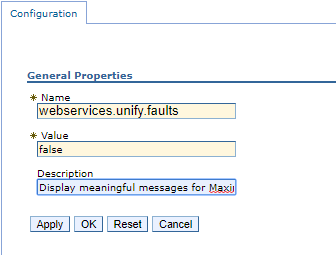
Apply the change and save it to the master configuration. Synchronize the affected nodes in a network deployment, then restart the application server or cluster members during a planned window so each JVM reads the property.
Test the response
Resend a controlled request that triggers a known Maximo validation error. Instead of only Internal Error, the SOAP fault can now contain the Maximo message:
<soapenv:Envelope xmlns:soapenv="http://schemas.xmlsoap.org/soap/envelope/">
  <soapenv:Body>
    <soapenv:Fault>
      <faultcode>soapenv:Server</faultcode>
      <faultstring>
        BMXAA4149E - ABCDE is not a valid organization. Specify a valid
        Organization value as defined in the Organizations application.
      </faultstring>
    </soapenv:Fault>
  </soapenv:Body>
</soapenv:Envelope>
Check that:
- Every cluster member returns consistent faults.
- Authorized clients receive enough information to handle expected business errors.
- Authentication, XML parsing and unexpected server exceptions do not expose secrets or stack traces.
SystemOut.logstill records the server-side detail needed by administrators.
If detailed faults are only needed for diagnosis, return webservices.unify.faults to true after testing and restart the affected JVMs. IBM describes true as the secure default because it prevents internal processing details from being returned to callers.