
Before you begin: this procedure handles a private key. Work in a restricted directory, never send the key through insecure channels and remove temporary copies when the migration is complete. Back up an existing IBM HTTP Server key database before changing it. Test the resulting certificate outside production first.
When a certificate signing request is created outside IBM's Key Management utility, attempting to receive the signed certificate directly can produce this message:
The certificate request created for the certificate is not in the key database.
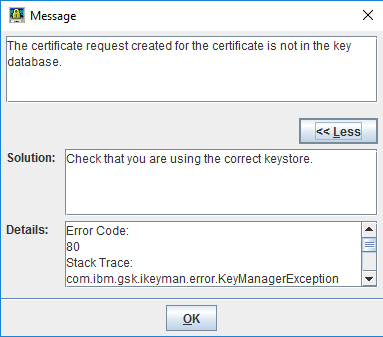
The error occurs because the IBM key database does not contain the private key associated with that certificate request. The solution is to combine the signed certificate and its matching private key in a password-protected PKCS#12 file, then import that file into the IBM HTTP Server CMS key database.
If the request was originally created in the same IBM key database, use iKeyman's Receive action instead. This procedure is specifically for a certificate and private key created elsewhere.
Gather the certificate files
You need:
- the signed certificate for the Maximo host, represented here by
maximodomain.crt; - its matching private key, represented by
maximodomain.pem; - the root and intermediate signer certificates supplied by the certificate authority;
- OpenSSL from a trusted, maintained distribution; and
- IBM HTTP Server's iKeyman utility.
Confirm that the certificate covers the DNS name clients use for Maximo and that the private key belongs to it. Do not continue if the key's origin or ownership is uncertain.
Create a PKCS#12 file
Open a command prompt in the OpenSSL installation directory, or ensure openssl is available on PATH.

Create the PKCS#12 file:
openssl pkcs12 -export -name "newkey" `
  -inkey "C:\temp\maximodomain.pem" `
  -in "C:\temp\maximodomain.crt" `
  -out "C:\temp\maximodomain.p12"
newkey becomes the certificate label in iKeyman. Choose a meaningful label and remember it because the IBM HTTP Server SSLServerCert directive can use it later.
If the private key is encrypted, OpenSSL first asks for its passphrase.
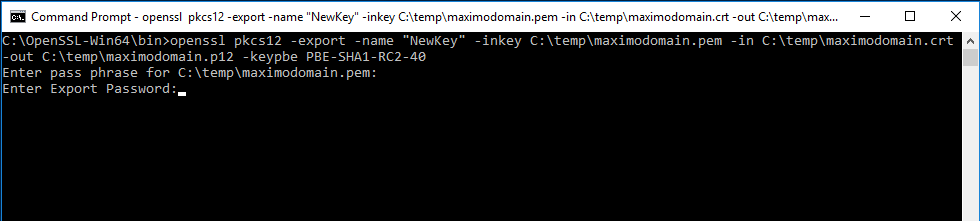
OpenSSL then asks for a new export password. Use a strong temporary password and store it securely until the import is complete; iKeyman needs it when opening the PKCS#12 file.

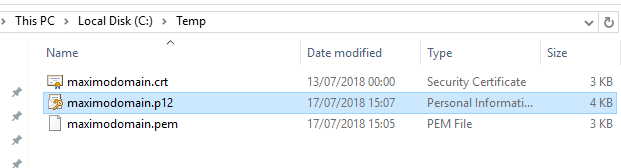
The output directory should now contain maximodomain.p12.
The original 2018 procedure forced PBE-SHA1-RC2-40 encryption. That algorithm now belongs to OpenSSL's legacy provider, so this version lets a current OpenSSL release use its stronger defaults. If an older iKeyman installation cannot read the result, update IBM HTTP Server or use a compatibility method approved for that environment rather than silently weakening the file.
Create or open the IBM key database
Start IBM Key Management from the IBM HTTP Server program group. On other supported platforms, run the ikeyman program supplied with IBM HTTP Server.
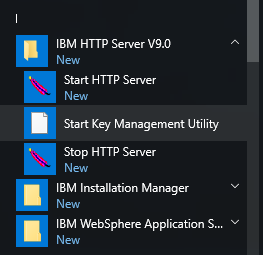
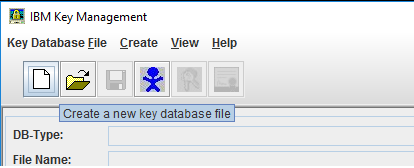
If IBM HTTP Server already uses a CMS key database, open and back up that database instead of creating an unrelated replacement. For a new configuration, select Key Database File > New.
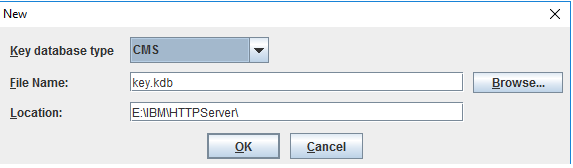
Select CMS as the key database type, then choose its file name and location. The later KeyFile directive must point to this .kdb file.
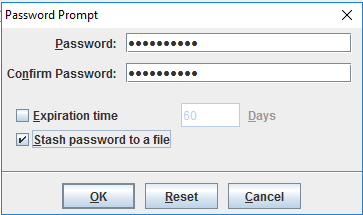
Set a strong password. Select Stash the password to a file when IBM HTTP Server must start unattended, and restrict access to the generated stash file because it contains an obfuscated form of the key database password.
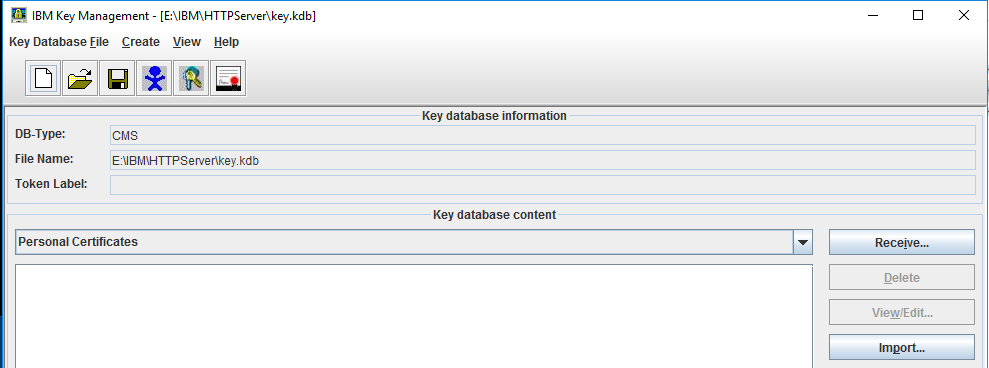
Import the personal certificate
In Key database content, select Personal Certificates, then select Import or Export/Import, depending on the iKeyman version.
Choose PKCS12 as the key file type and select the maximodomain.p12 file created earlier.
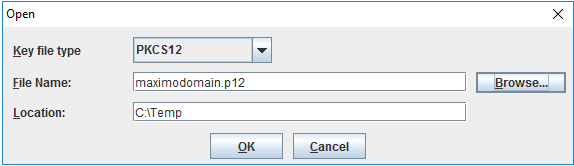
Enter the PKCS#12 export password when prompted. The newkey label should then appear under Personal Certificates.

IBM's iKeyman import procedure documents the same PKCS#12 import path.
Import the certificate chain and verify it
Under Signer Certificates, add the root and intermediate certificates supplied by the certificate authority. Use distinct labels and confirm that the complete chain is present. IBM provides separate guidance for adding certificate-authority certificates in iKeyman.
Inspect the imported personal certificate and verify:
- the subject or subject alternative names include the Maximo host name;
- the issuer and signer chain are correct;
- the certificate is within its validity period; and
- iKeyman can validate it successfully.
The key database is now ready for IBM HTTP Server. Continue with Configure IBM HTTP Server to use SSL, using this .kdb path for KeyFile and the imported label for SSLServerCert.