
Restoring a production Maximo database into development or UAT also restores its DB2 Text Search catalog. The values in SYSIBMTS.TSSERVERS can therefore still describe the source environment, while the target DB2 instance has its own host, port, token and encryption key.
This procedure reconnects the restored database catalog to an existing DB2 Text Search server in the target environment. It does not restore the Text Search index collections themselves. If those collections were not copied with the database and Text Search configuration, you will also need to recreate or rebuild the indexes.
Before you begin: back up the restored database and work in a maintenance window. Stop Maximo processes and scheduled jobs that can use Text Search, make sure no Text Search administration operation is running, then stop the target DB2 Text Search server. Run the commands as an account with the required DB2 and
SYSTS_ADMauthority.
Read the target server configuration
Open the DB2 command window for the target DB2 copy and instance. On Windows, the Text Search tools were under a path similar to:
<INSTALL_ROOT>\IBM\SQLLIB\UAT\db2tss\bin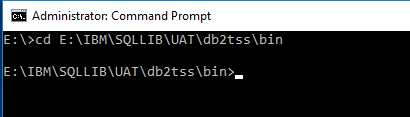
Print the configuration used by that server:
configTool printAll -configPath "<TARGET_CONFIG_PATH>"The example environment uses a configuration path similar to:
E:\IBM\SQLLIB\UAT\IBM\DB2\DB2UAT\UATINST\db2tss\configRecord the target host, administration HTTP port, token, encryption key and locale. The token and key are credentials: keep the output private and do not paste it into tickets, articles or shared logs. Do not publish screenshots of this credential-bearing output.
IBM documents configTool printAll and the surrounding service steps in Configuring DB2 Text Search.
Inspect the restored catalog
Connect to the restored database, checking that the database alias points to the intended target:
DB2 CONNECT TO <TARGET_DATABASE>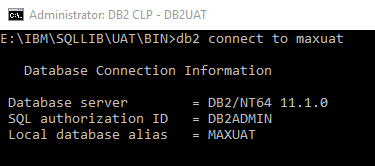
Read the current Text Search server row:
SELECT
  SERVERID,
  HOST,
  PORT,
  TOKEN,
  KEY,
  LOCALE,
  SERVERTYPE,
  SERVERSTATUS
FROM
  SYSIBMTS.TSSERVERS;
Compare it with the target configuration you just printed. A row restored from another environment might have the correct structure but the wrong connection values.
Update the server row
Keep the Text Search server stopped while changing its catalog details. Replace every placeholder below with the values from the target server, including its actual host name when clients or database partitions need to reach it:
UPDATE
  SYSIBMTS.TSSERVERS
SET
  HOST = '<TARGET_HOST>',
  PORT = <TARGET_PORT>,
  TOKEN = '<TARGET_TOKEN>',
  KEY = '<TARGET_KEY>',
  LOCALE = '<TARGET_LOCALE>'
WHERE
  SERVERID = <SERVER_ID>;
Check the affected-row count. If it is not exactly one, roll back and investigate rather than committing a broader update.
If SYSIBMTS.TSSERVERS is empty, IBM's recovery procedure allows a server row to be inserted before configuration. Use the server type required by your deployment; do not copy it blindly from another environment:
INSERT INTO
  SYSIBMTS.TSSERVERS
  (
    HOST,
    PORT,
    TOKEN,
    KEY,
    LOCALE,
    SERVERTYPE,
    SERVERSTATUS
  )
VALUES
  (
    '<TARGET_HOST>',
    <TARGET_PORT>,
    '<TARGET_TOKEN>',
    '<TARGET_KEY>',
    '<TARGET_LOCALE>',
    <TARGET_SERVER_TYPE>,
    0
  );
Query the table again and commit only after its single row matches the target Text Search configuration. IBM's SYSTS_CONFIGURE procedure reference describes the catalog update and the authorities it requires.
Apply and test the configuration
Apply the corrected server information to the current database. Replace the locale if the target does not use en_US:
CALL
  SYSPROC.SYSTS_CONFIGURE('', 'en_US', ?);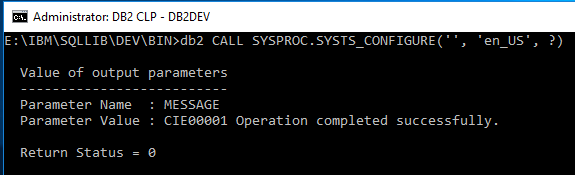
Start the target DB2 Text Search server, then verify the result rather than treating a successful procedure call as the end of the repair:
- Query
SYSIBMTS.TSSERVERSagain and confirm the target values remain in place. - Inspect
SYSIBMTS.TSINDEXESand confirm the expected Maximo indexes exist and reach a healthy state. - Run a known Text search in Maximo and check both its result and the DB2 Text Search logs.
If the database was restored without its Text Search configuration and index directories, reconnecting the server is only the first step. Follow IBM's backup and restore guidance for Text Search indexes, or recreate the required indexes with the supported Maximo process described in Enable DB2 Text Search for a Maximo database.
For environments with several DB2 instances on the same host, also check that each service owns a unique port as described in Run multiple DB2 Text Search instances on one server.